Create an Ecosystem
An Ecosystem in Hovi Studio refers to a self sovereign identity network where various tenants (organizations or entities) can securely interact, issue, and verify digital credentials.
If you're signing in to Hovi Studio for the first time, you'll automatically be taken through an onboarding process, which involves creating your first ecosystem. This guide will walk you through the steps to create a new ecosystem via the Hovi dashboard.
Prerequisites
Before you begin, ensure the following:
- You have created an account on Hovi Studio.
Steps to Create a New Ecosystem
For existing users who have completed the onboarding process, follow these steps to create additional ecosystems using the dropdown in the studio dashboard.
-
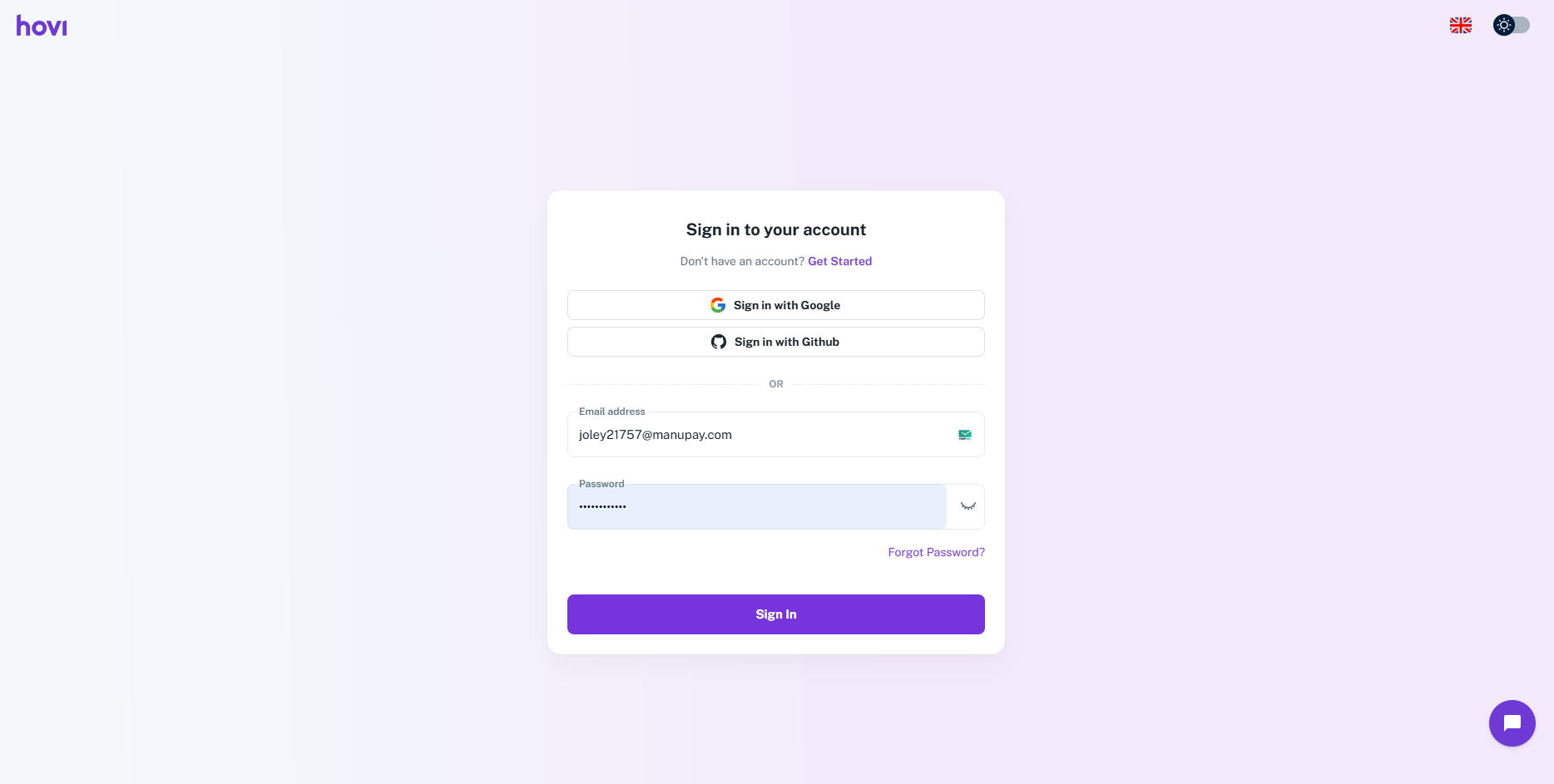
Sign in to Hovi Studio using your credentials.
-
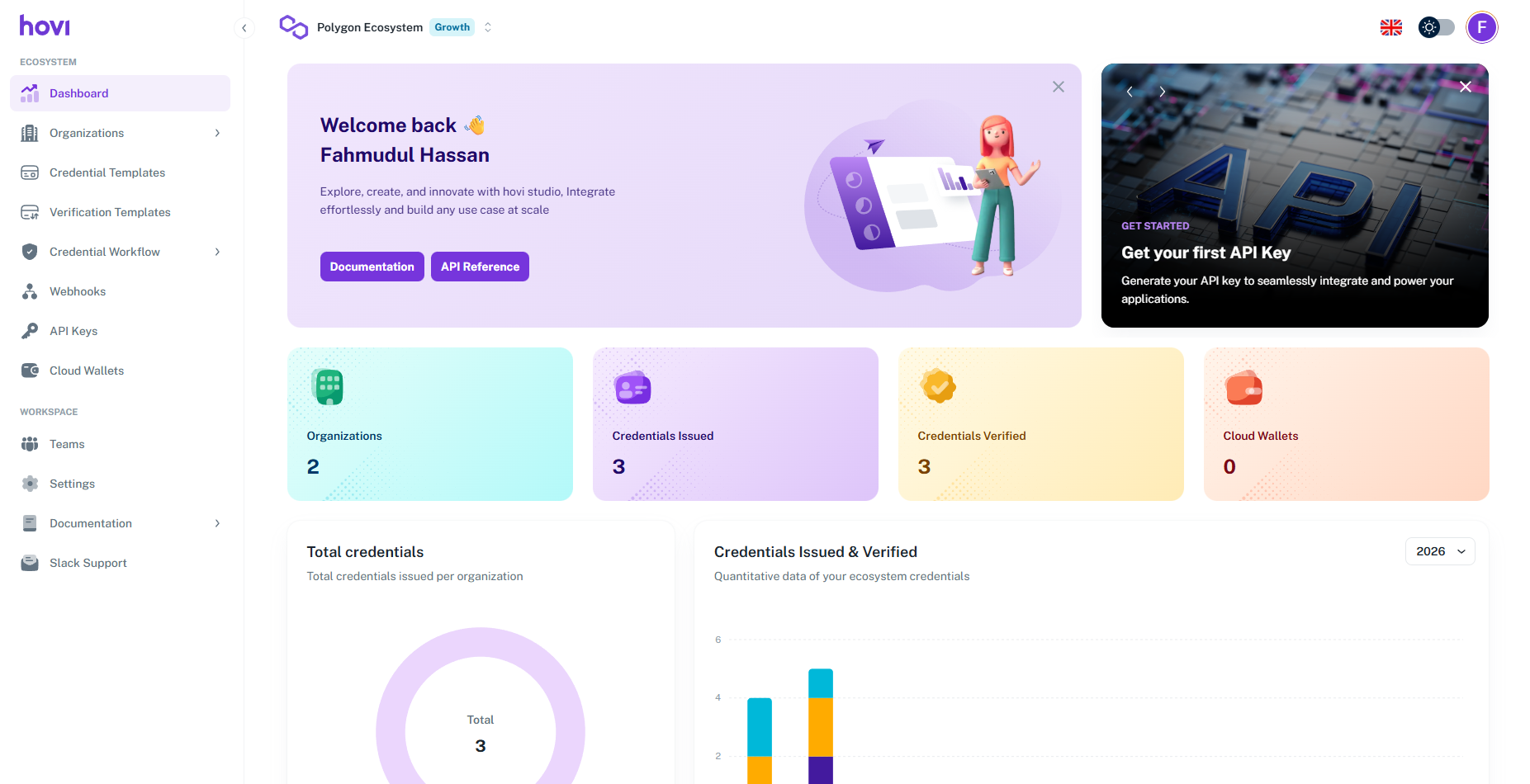
In the Hovi Studio dashboard, locate the ecosystem dropdown at the top of the screen.
-
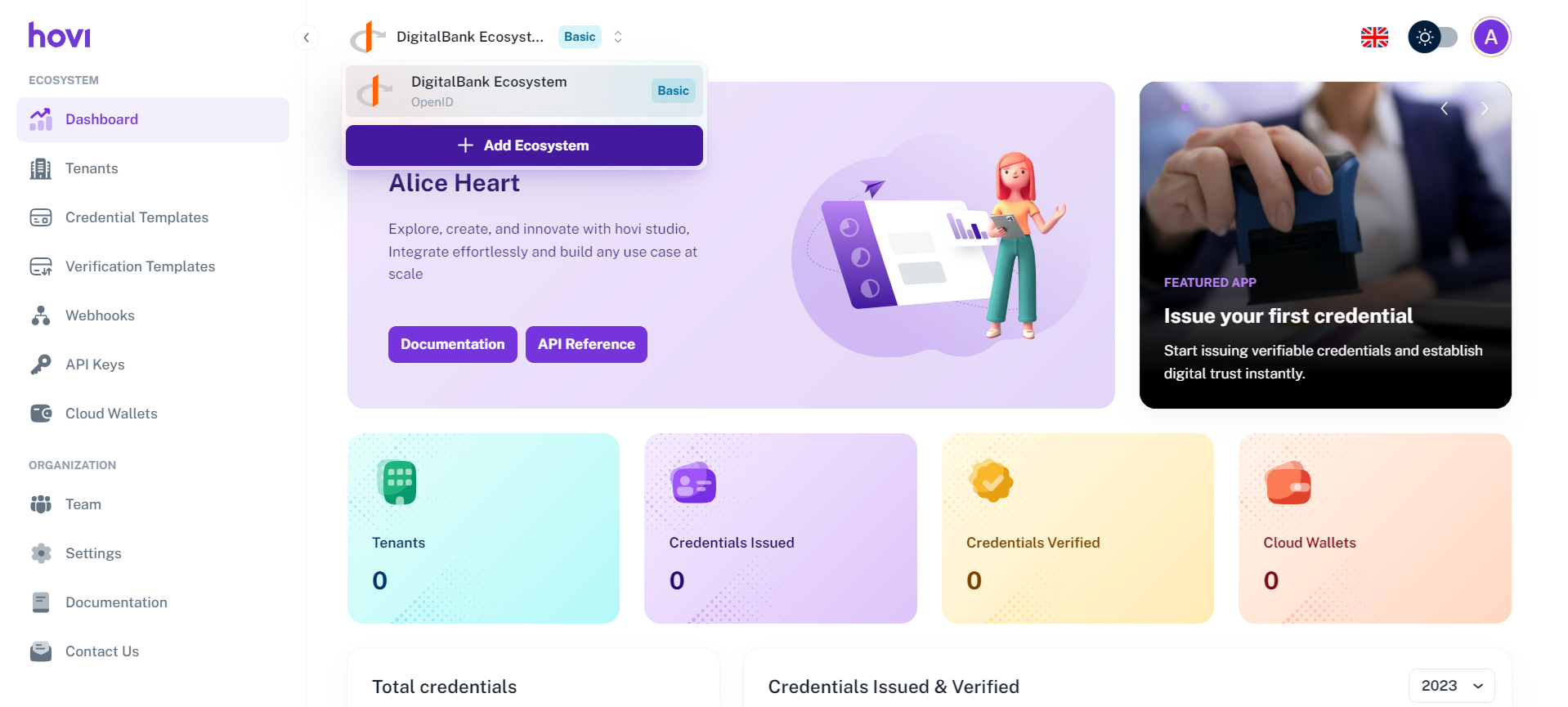
Click on the dropdown and select “Add Ecosystem”.
-
Fill in the following details:
- Create your first ecosystem by providing a "Name" and Select a network for your ecosystem from the available options.
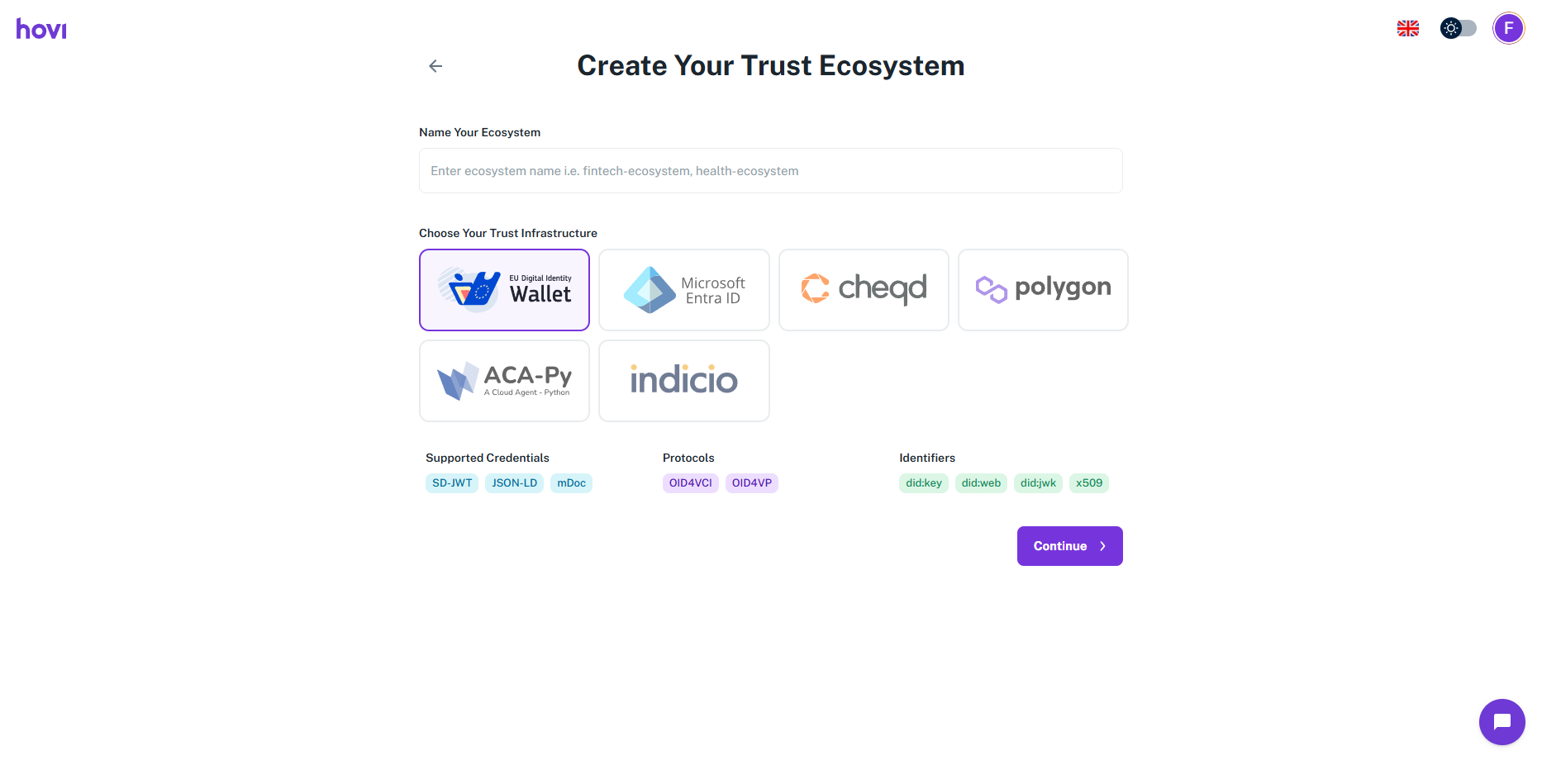
- And click "Continue".
- Create your first ecosystem by providing a "Name" and Select a network for your ecosystem from the available options.
Once the onboarding is complete, you’ll be directed to the Hovi Studio dashboard.
We give a free tier of 30 days. To know about subscription plans and billing details, please refer here: Billing and Usage.
You have successfully created a new ecosystem.
You can now create and manage credential and verification templates, create tenants, and retrieve or create a new API key to start using Hovi APIs to issue or verify credentials.