Webhook
Webhooks in the Cloud Wallet API allow applications to receive real-time event notifications related to wallet operations. By registering a webhook, you enable your system to automatically respond when key actions occur in a user's cloud wallet, without the need for continuous polling.
Endpoints
The Cloud Wallet API provides the following webhook management endpoints:
- Register Webhook — Registers a new webhook URL for your wallet.
- Get Webhooks — Retrieves the currently registered webhook URL.
- Delete Webhook — Removes a previously registered webhook.
Example: Registering a Webhook
Follow these steps to configure a webhook for your Cloud Wallet:
-
Visit the Hovi Cloud Wallet API Reference.
-
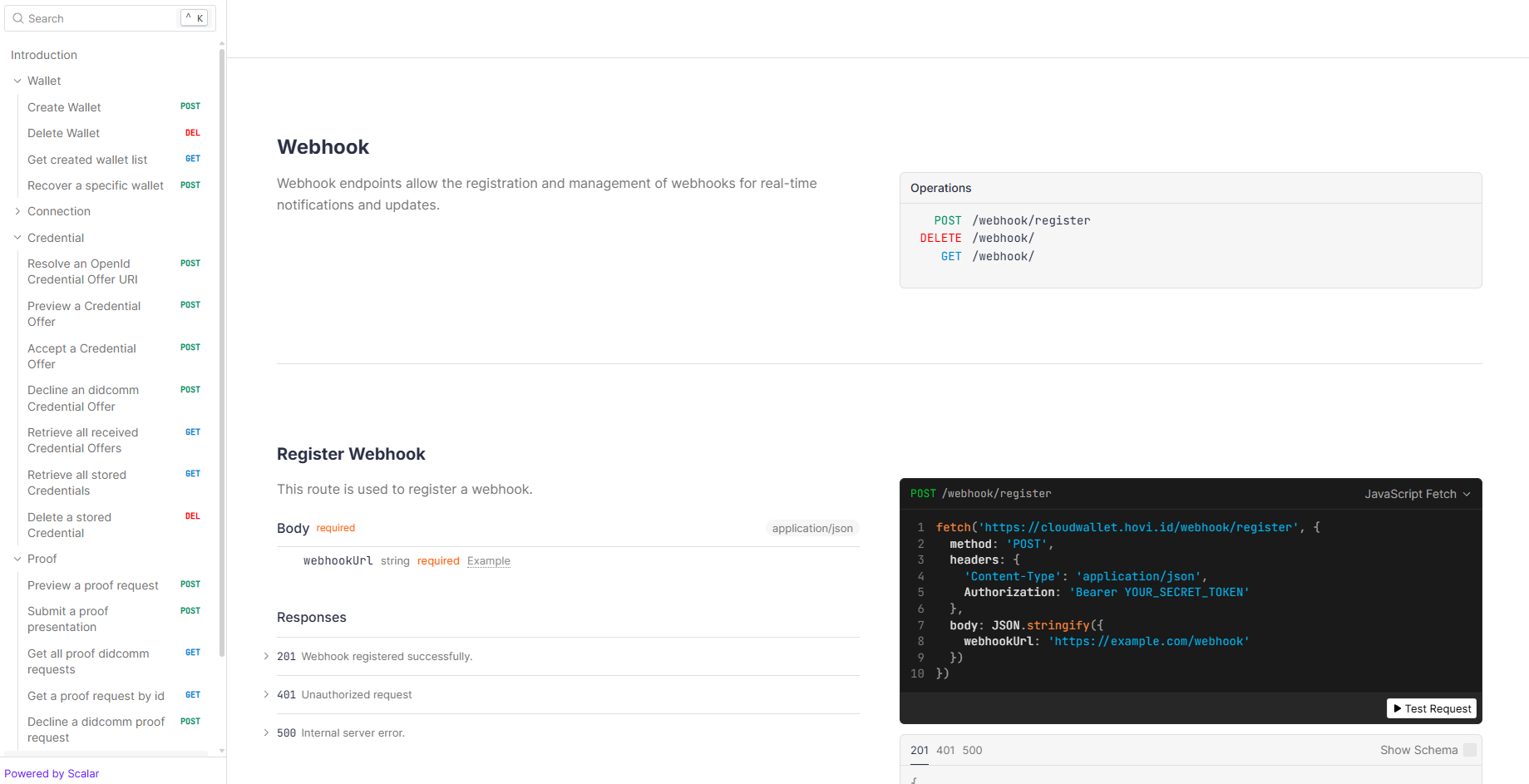
Navigate to the Webhook section.
-
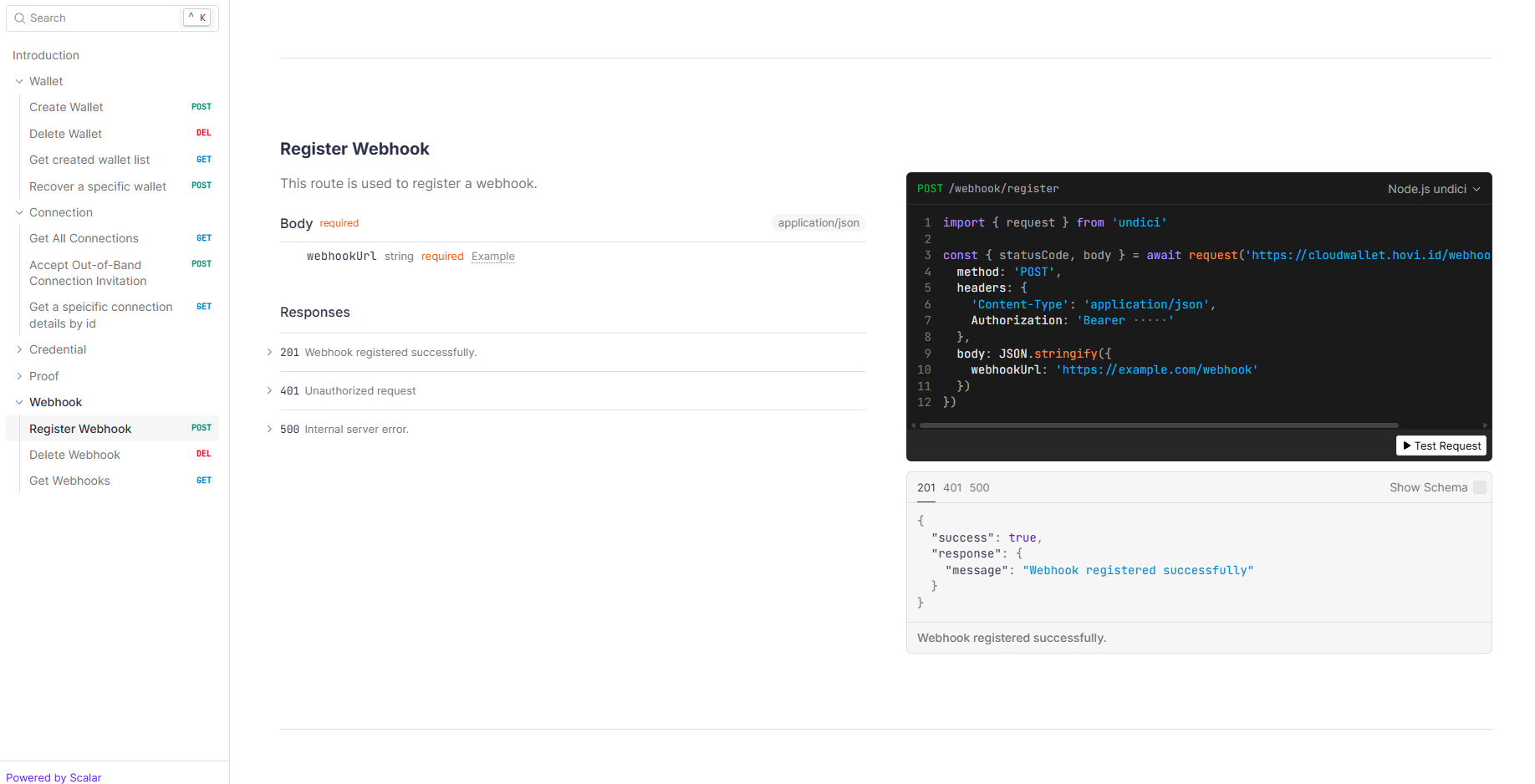
To Register a webhook navigate to POST – Register Webhook endpoint.
-
Click “Test Request” and provide the required inputs:
- Enter your API key as a Bearer Token.
- In the Request Body, specify your webhook URL (for example:
https://your-app.com/webhook).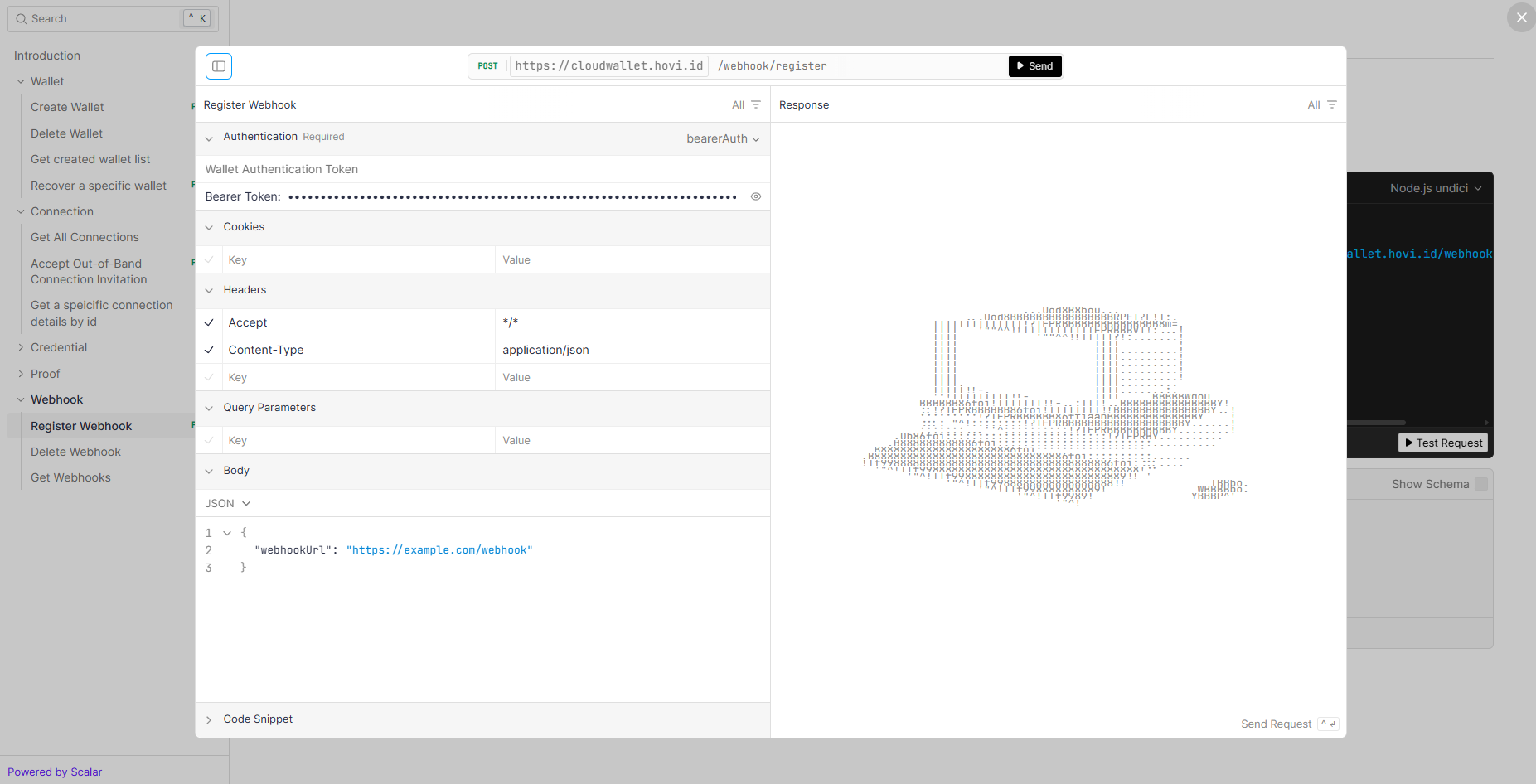
-
Click “Send”. If successful, your webhook URL will be registered to receive Cloud Wallet event notifications.
Verify Webhook Signatures
When you create a webhook, Hovi automatically generates a signing secret. Store this secret securely and use it to confirm that incoming webhook requests were sent by Hovi. Without signature verification, someone who knows your webhook URL could send fake event notifications to your application.
Every webhook request from Hovi includes the following headers:
| Header | Description |
|---|---|
x-webhook-timestamp | Unix timestamp in seconds when the request was created. |
x-webhook-signature | HMAC-SHA256 signature beginning with sha256=. |
Hovi generates the signature using your webhook secret, the timestamp, and the exact request body:
signedPayload = {timestamp}.{rawBody}
signature = sha256=HMAC-SHA256(webhookSecret, signedPayload)
To verify a webhook request:
- Read the timestamp and signature headers.
- Read and preserve the raw request body exactly as received, before any body parser processes it.
- Reject the request if either header or the body is missing.
- Reject timestamps outside your allowed window, such as five minutes.
- Calculate the expected signature using your webhook secret.
- Compare the calculated and received signatures using a timing-safe comparison.
- Process the event only when the signatures match. Otherwise, return
401 Unauthorized.
Important: Use the raw request body for verification. Parsing the JSON and serializing it again can change its formatting and cause a valid signature to be rejected.